Configuration & Settings
All available FeedbackPRO settings can be found under Project Settings
Edit → Project Settings... → FeedbackPRO.
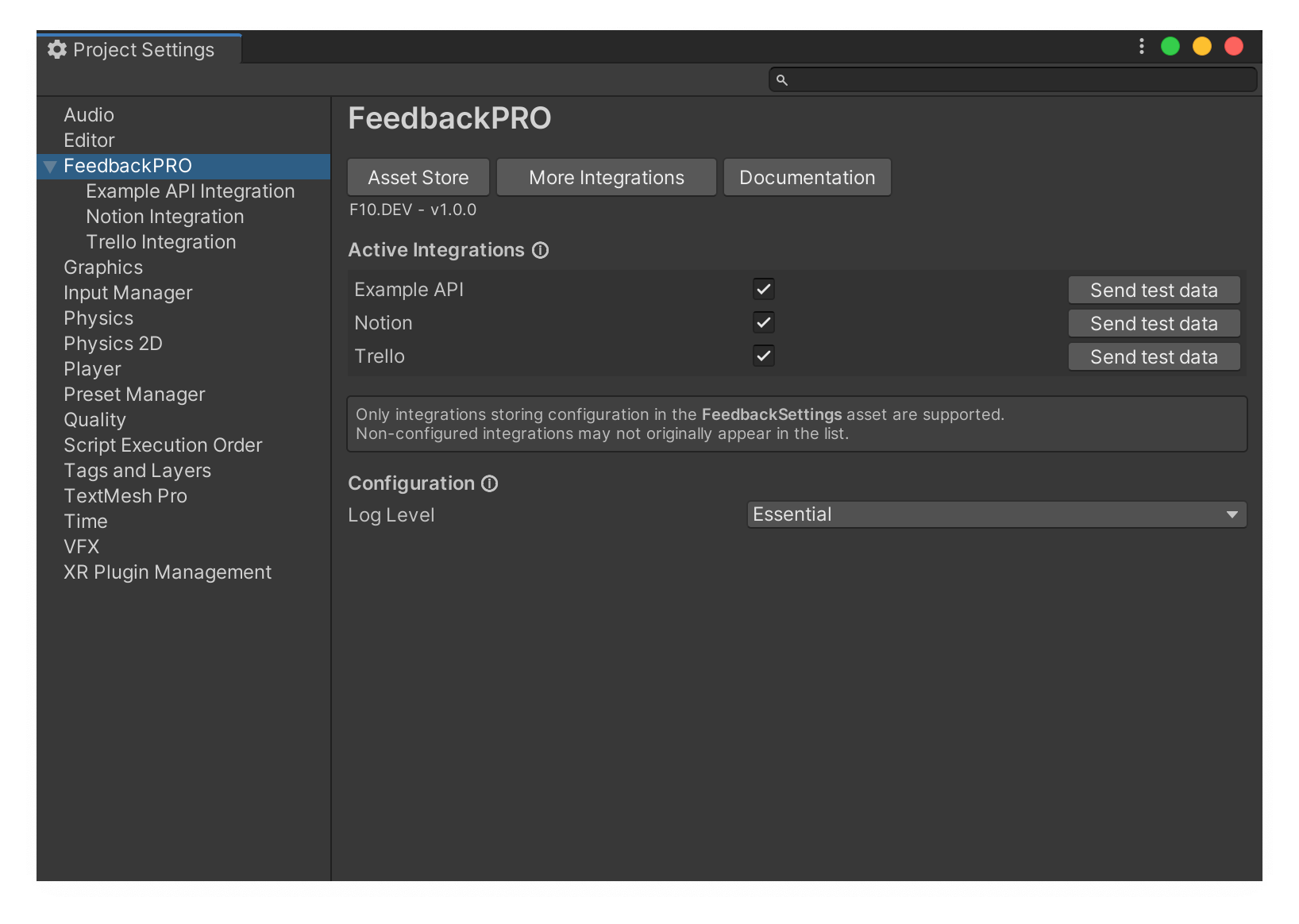
Active Integrations
All official and custom integrations (using FeedbackSettings) will be listed here. Any enabled integrations (toggle with a checkmark) will receive feedback data when Feedback.Send() is used.
This is useful to send the same data to may services, all at once. Configuring an integration but disabling it in this list will still allow to use any setup configuration, but calling Feedback.Send() will not send any data to that integration. Instead, you are expected to manually send data to the integration directly. More information on how to send data at Feedback Data.
Using the "Send test data" button will send a testing data request to the chosen integration with all data extensions included in the base package.
Note
Only integrations storing configuration in the FeedbackSettings asset are supported. Non-configured integrations may not originally appear in the list until selected, as their configuration is generated and stored on-demand.
Configuration
This section includes all global configuration related to FeedbackPRO.
| Option | Description |
|---|---|
| Log Level | Select the amount of logs that FeedbackPRO should produce. During development is recommended to keep this option in "Essential", while builds should use "Critical". |
Advanced & Multi-Configuration integrations
All integrations are designed to have a single configuration instance. This simplifies setting them up, but it may be a constrain if a project requires sending data to the same integration using different settings, like authentication or destination.
For these advanced cases, new configurations can be created completely in code. FeedbackPRO also includes a helper method to copy an integration's configuration in case a small change is required.
The following example will copy the "Example API" config, modify the ExampleValue which is stored with the configuration and send data to it, without modifying the original stored config values:
FeedbackData data;

var configCopy = FeedbackSettings.CopyConfig<ExampleConfig>();
configCopy.ExampleValue = "New Value!";

Feedback.Send(data, configCopy);
Refer to Feedback Data for more information on sending and creating data.
Remarks
All the values visible in this window will be stored in a FeedbackSettings asset, that will be generated automatically in the root of the project, called FeedbackPROSettings.
Do not modify this asset or any of it's values manually, as it may cause unknown issues.
The asset can be placed anywhere in the code (witch exception of special folders which could have issues, like StreamingAssets). Deleting this file will delete all values and configurations, including configuration from official integrations and/or custom integrations using the asset as storage.
Caution
The FeedbackSettings asset will contain all saved API keys, tokens and other secret authentication tokens from integrations that require it. As explained in Security none of these secrets should point to anything important, but keep in mind all data stored in this asset is not encrypted or obfuscated by default, and should be handled with care.